Muutke küpsiste eelistusi

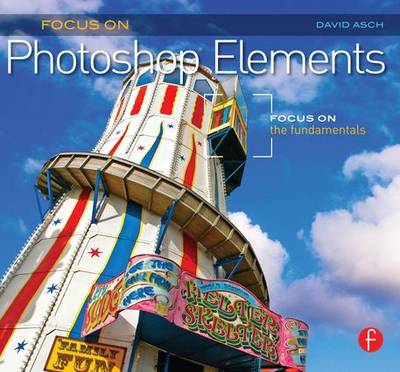
Focus On Photoshop Elements: Focus on the Fundamentals (Focus On Series) [Pehme köide]

  • Formaat: Paperback / softback, 152 pages, kõrgus x laius: 210x191 mm, kaal: 380 g, 228 Halftones, color
  • Sari: The Focus On Series
  • Ilmumisaeg: 13-Apr-2011
  • Kirjastus: Focal Press
  • ISBN-10: 0240814452
  • ISBN-13: 9780240814452
Teised raamatud teemal:
  • Pehme köide
  • Hind: 34,29 €*
  • * saadame teile pakkumise kasutatud raamatule, mille hind võib erineda kodulehel olevast hinnast
  • See raamat on trükist otsas, kuid me saadame teile pakkumise kasutatud raamatule.
  • Kogus:
  • Lisa ostukorvi
  • Tasuta tarne
  • Lisa soovinimekirja
  • Raamatukogudele
  • Formaat: Paperback / softback, 152 pages, kõrgus x laius: 210x191 mm, kaal: 380 g, 228 Halftones, color
  • Sari: The Focus On Series
  • Ilmumisaeg: 13-Apr-2011
  • Kirjastus: Focal Press
  • ISBN-10: 0240814452
  • ISBN-13: 9780240814452
Teised raamatud teemal:

Are you bewildered by the advanced editing options available in Photoshop Elements? Do you want to get the most out of your image without going bleary-eyed in front of a computer screen?

This handy guide will explain the ins and outs of using Photoshop Elements, without having to spend hours staring at the screen. Using a fabulous combination of easy-to-follow advice and step-by-step instructions, Focus On Photoshop Elements gives great advice on setting up, storing and sharing your image library and teaches you the basics of RAW image processing and color correction, plus shows you how to edit and retouch your images for stunning results. These simple tweaks and adjustments will take your images from so-so to amazing - and fast!

Packed with inspiring photographs, this guide focuses on your needs as a photographer and nothing else.


No nonsense guide to getting the most out of your images using Photoshop Elements

Are you bewildered by the advanced editing options available in Photoshop Elements? Do you want to get the most out of your image without going bleary-eyed in front of a computer screen?

This handy guide will explain the ins and outs of using Photoshop Elements, without having to spend hours staring at the screen. Using a fabulous combination of easy-to-follow advice and step-by-step instructions, Focus On Photoshop Elements gives great advice on setting up, storing and sharing your image library and teaches you the basics of RAW image processing and color correction, plus shows you how to edit and retouch your images for stunning results. These simple tweaks and adjustments will take your images from so-so to amazing - and fast!

Packed with inspiring photographs, this guide focuses on your needs as a photographer and nothing else.

Arvustused

"Adobe Photoshop Elements remains one of the most affordable and popular photo editing software and David Asch focuses on the fundamentals of how to use this software to get your best photos with an easy step-by-step workflow. He begins with an introduction to the Organizer and the basics of importing and management of your photos with tagging, categories and smart albums. Moving on to the Editor workspace, the author discusses solutions to the most common problems such as red eye, distortion, cropping, levels and color correction. Next, he discusses the basics of Camera RAW such as camera profiles. Finally, we covers aspects of printing and sharing your photos."--BellaOnline


"Focal Press, well known for great how to books has 3 new offerings that will make you not just a better photographer, but a great photo editor with PhotoShop. They are part of the "Focus on Fundamentals" line called: Focus on Adobe Photoshop; Focus on Apple Aperture; Focus on Photoshop Elements. All of the books are geared with Mac OS in mind. You can in theory learn a little about the PC versions of Photoshop or Photoshop elements, but Apple Aperture is strictly Mac OS. All of the books are clearly well written with several sidebars that explain points that may be more advanced. The books are written with all user levels in mind, from novice to experienced, but even the more experienced areas are easy to understand. All of the books have prime examples including walking you through all menu options. They show examples of before and after changes were made as well. I was very impressed with the hands on style of writing in the books. Between the pictures, the sidebars and step by step guidance's. They are all very well laid out and the Focal Press does well at explaining all aspects of each software package. The books don't just compliment the manuals that come with each package, they down-right put them to shame and can easily replace them."--Examiner.com


"The second of the two books is based on mastering the Photoshop Elements software. David Asch explores the basics of RAW processing and how images can quickly be turned into bold and colour-accurate creations. If you're new to Elements, this book will teach you the ropes."--Photoshop Creative

Chapter 1 Introducing the Organizer
3(14)
The Organizer workspace
4(1)
Importing your images from a camera or card reader
5(3)
The Advanced Photo Downloader dialog
8(1)
Basic photo management
9(4)
Importing from other sources
13(4)
Chapter 2 Traging, Sorting and Searching
17(24)
The purpose of categories and tags
18(1)
Creating and using a tagging structure
19(7)
Filtering and searching your catalog
26(2)
Searching the catalog
28(4)
Creating albums
32(2)
Album categories
34(2)
Creating Smart Albums
36(5)
Chapter 3 Working with the Editor
41(54)
Opening images in the Editor
42(1)
The Editor's workspace modes
43(5)
Initial checking and correction
48(1)
Checking the sharpness
49(2)
Straightening crooked photos
51(1)
Straightening verticals
52(1)
Advanced distortion correction
53(3)
Cropping your image
56(2)
Tone and color correction
58(1)
Auto adjustments
58(2)
Manual corrections
60(1)
Exposure correction
60(1)
Fixing underexposure
61(1)
Fixing overexposure
62(1)
The Levels command
63(1)
Levels adjustments
64(2)
Adjusting highlights and shadows
66(1)
Color correction
67(2)
Color variations
69(3)
Hue/Saturation
72(4)
Black and white adjustment
76(3)
Adjustment layers
79(3)
Removing blemishes and other distractions
82(1)
The Spot Healing Brush tool
83(1)
The Clone Stamp tool
84(1)
Fixing red eye
85(1)
Noise reduction
86(2)
Sharpening the image
88(1)
High Pass sharpening
89(6)
Chapter 4 Working with RAW Images
95(28)
The Adobe Camera RAW interface
96(2)
Is the image sharp enough?
98(2)
Straightening crooked photos
100(2)
Cropping your image
102(3)
Removing red eye
105(2)
Simple lighting and color correction
107(4)
Manually adjusting images
111(4)
Creating a custom camera profile
115(1)
Processing multiple images
116(3)
Saving your changes
119(4)
Chapter 5 Printing, Sharing, and Storing
123(29)
Color management for printing
124(1)
Color spaces
124(1)
The color-managed printing workflow
125(6)
Printing multiple photos, picture packages, and contact sheets
131(1)
Printing multiple images
132(3)
Creating picture packages
135(2)
Creating a contact sheet
137(3)
Using online print services
140(2)
Backing up your photos
142(3)
Adding to the backup
145(2)
Restoring from backup
147(2)
Alternate backup solutions
149(1)
Some final technical information
150(2)
Index 152
David Asch is a beta tester for Photoshop Elements. He contributes to Mac Format magazine, and is co-author of Digital Photo Doctor and contributing author to Drop Dead Photography Techniques.