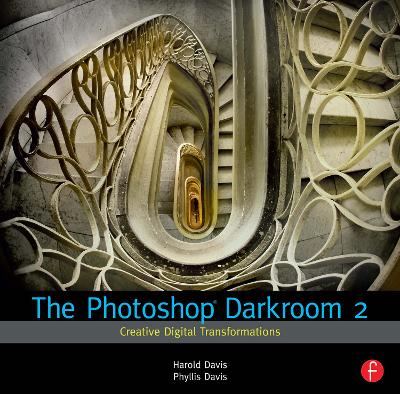
Award-winning photography/design team Harold and Phyllis Davis are back with a brand new volume in their new Photoshop Darkroom series. Picking up where their best-selling first book left off, The Photoshop Darkroom 2: Advanced Digital Post-Processing will show you everything you need to know to take your digital imaging skills to the next level. Great photographers know that the best images begin well before the shutter clicks, and certainly well before Photoshop boots up. Harold takes a step back, and shares his helpful tips for capturing the most compelling images possible by keeping in mind what type of post-processing you'll do before you start shooting. You'll also find complete coverage of important topics such as compositing, working with layers, and HDR. Packed with tons of eye-popping images which have won Harold national acclaim, this is a fantastic resource for photographers who want to think outside the box and create truly stunning artwork.
Arvustused
"Written by a photographer and designer team, this excellent release deals with such matters in easy-to-follow steps and thorough detail, covering topics such as lighting and compositional post-work and HDR processing, all accompanied with stunning example imagery. This is an extremely thorough overview for anyone who's relatively new to the whole postproduction process."--Computer Arts Magazine
"The book covers effects and techniques compatible with any version of Photoshop, although one technique deals with Content Aware Fill, found in Photoshop CS5. An astute user could potentially achieve the same effects in older versions of Photoshop, by modifying the outlined steps. Experimentation is always a journey unto itself: you may discover some new way of achieving the results desired, or even uncover something new and totally different."--Horizons Erie User Group Newsletter
"The goal of the book is to inspire you with techniques to try. The emphasis in this title is on creative transformations. This involves a wide range of image creation challenges from cleaning up an image to creating entirely new fantastic digital images. With this book you will learn how to take advantage of the possibilities available in RAW image files; use Adobe Lightroom to multi-RAW process your photo; correct flaws and improve the tonality of your images; improve and enhance portraits and glamour shots; extend the dynamic range of your photos; create high dynamic range images by hand, and much more."--NeoPopRealismJournal.com "Written by a photographer and designer team, this excellent release deals with such matters in easy-to-follow steps and thorough detail, covering topics such as lighting and compositional post-work and HDR processing, all accompanied with stunning example imagery. This is an extremely thorough overview for anyone who's relatively new to the whole postproduction process. -Computer Arts Magazine
| Introduction |
|
6 | (1) |
|
|
|
6 | (92) |
|
Workflow and digital asset management |
|
|
10 | (2) |
|
|
|
12 | (1) |
|
Shooting RAW and JPEG at the same time |
|
|
13 | (1) |
|
In which Ed's feet make an appearance |
|
|
14 | (2) |
|
Multi-RAW processing using Light room |
|
|
16 | (3) |
|
Multi-RAW processing: Lightroom or ACR? |
|
|
19 | (1) |
|
Bringing a flower to life |
|
|
20 | (2) |
|
|
|
22 | (1) |
|
|
|
23 | (2) |
|
Using Screen blending mode |
|
|
25 | (2) |
|
|
|
27 | (1) |
|
Creating a high-key image |
|
|
28 | (2) |
|
|
|
30 | (5) |
|
|
|
35 | (2) |
|
|
|
37 | (1) |
|
|
|
38 | (2) |
|
|
|
40 | (3) |
|
|
|
43 | (3) |
|
Creative coloring and toning |
|
|
46 | (1) |
|
Desaturating with black and white |
|
|
46 | (12) |
|
Welcome to the real world |
|
|
58 | (8) |
|
Transformations are for people, too! |
|
|
66 | (2) |
|
Multi-RAW processing a glamour shot |
|
|
68 | (1) |
|
Contrasting a figure with a black background |
|
|
68 | (6) |
|
Using hand-HDR to get a completely black background |
|
|
74 | (2) |
|
Photographing kids on a black background |
|
|
76 | (2) |
|
|
|
78 | (2) |
|
Head, shoulders, knees, and toes |
|
|
80 | (4) |
|
|
|
84 | (2) |
|
Alice works out at the virtual gym |
|
|
86 | (2) |
|
|
|
88 | (2) |
|
|
|
90 | (4) |
|
|
|
94 | (4) |
|
Making the Unseen Visible |
|
|
98 | (52) |
|
Photographing flowers in water |
|
|
100 | (6) |
|
Photographing on a lightbox |
|
|
106 | (2) |
|
Hand-HDR imaging for transparency |
|
|
108 | (2) |
|
Creating a transparent poppy medley |
|
|
110 | (2) |
|
ACR or Lightroom for RAW conversion |
|
|
112 | (1) |
|
Automated HDR vs. hand-HDR for transparency |
|
|
113 | (2) |
|
Lightboxes aren't only for flowers |
|
|
115 | (2) |
|
Variations and inversions |
|
|
117 | (1) |
|
Combining layers for transparency |
|
|
118 | (7) |
|
Using HOR to create complex imagery |
|
|
125 | (1) |
|
Revealing details at night |
|
|
126 | (3) |
|
|
|
129 | (1) |
|
|
|
130 | (2) |
|
Stacking star trails---the real deal |
|
|
132 | (2) |
|
Onward a Upward: Beyond Reality |
|
|
134 | (2) |
|
Photo compositing to create a world in a shadow |
|
|
136 | (2) |
|
Photographing to create the shadow |
|
|
138 | (2) |
|
Creating a translucent marble and its shadow |
|
|
140 | (1) |
|
Thinking about content, color, shape, and scale |
|
|
141 | (1) |
|
|
|
142 | (4) |
|
|
|
146 | (1) |
|
|
|
147 | (1) |
|
Photographing the infinitesimal |
|
|
148 | (2) |
|
|
|
150 | (54) |
|
Harold's manifesto: Losing the chains of reality |
|
|
152 | (2) |
|
|
|
154 | (6) |
|
|
|
160 | (2) |
|
Steps Loward the impossible |
|
|
162 | (2) |
|
Creating the basic building block |
|
|
164 | (2) |
|
The compositor's cafeteria |
|
|
166 | (2) |
|
Creating the "Twisted Stairs'" |
|
|
168 | (3) |
|
|
|
171 | (3) |
|
Creating the "Stair Knot" |
|
|
174 | (4) |
|
Complexity vs. simplicity |
|
|
178 | (2) |
|
|
|
180 | (5) |
|
|
|
185 | (1) |
|
LAB: The neglected color space |
|
|
186 | (4) |
|
LAB channel inversions and equalizations |
|
|
190 | (5) |
|
Using different color spaces to add color effects |
|
|
195 | (1) |
|
Creating a world in a pine cone |
|
|
196 | (2) |
|
Creating a magical portal |
|
|
198 | (2) |
|
Onward & Upward: This challenge is for you! |
|
|
200 | (4) |
| Glossary |
|
204 | (2) |
| Index |
|
206 | |
Harold Davis is an award-winning professional photographer. He is the best-selling author of more than 30 books, including The Photoshop Darkroom 2: Creative Digital Transformations (Focal Press), Creative Porraits: Digital Photography Tips & Techniques (Wiley), Creative Black & White: Digital Photography Tips & Techniques (Wiley), Creative Composition: Digital Photography Tips & Techniques (Wiley), Creative Night: Digital Photography Tips & Techniques (Wiley), Creative Close-Ups: Digital Photography Tips & Techniques (Wiley), The Photoshop Darkroom: Creative Digital Post-Processing (Focal Press) and Practical Artistry: Light & Exposure for Digital Photographers (O'Reilly). Harold writes the popular Photoblog 2.0, www.photoblog2.com, and is a regular photography and Photoshop columnist for Photo.net, a photography site with more than one million members. Harold is a popular presenter on a wide range of digital photography and Photoshop topics. His workshops are sought after and often sold out. In addition to writing and photography, Harold has been a software engineer, an enterprise technology consultant, and an Internet company executive. Photographic adventures and assignments have taken him across the Brooks Range, the northernmost mountains in Alaska. He has photographed the World Trade Towers, hanging out of a small plane, followed in the footsteps of Seneca Ray Stoddard, a 19th-century photographer of the Adirondacks, and created human interest photo stories about the residents of Love Canal, an environmental disaster area. Harold is well known for his night photography and experimental ultra-long exposure techniques, use of vibrant, saturated colors in landscape compositions, and beautiful creative floral imagery. He is inspired by the flowers in his garden, hiking in the wilderness, and the work of great artists and photographers including M.C. Escher, Monet, van Gogh, and Edward Weston. Phyllis Davis is a graphic designer and writer. Her design credits include many books, posters, advertisements, and Internet projects. Phyllis is the author of more than twenty books on topics that range from elementary algebra to image editing software such as The Gimp and Photoshop. As a writer, she is well known for her ability to break complex topics down into easy to follow, simple steps. Phyllis has a deep interest in education. She believes in working "smarter, not harder, and that learning happens most when it is fun. She has followed her interest in unconventional educational strategies as a writer, trainer, and course developer. Phyllis was trained as a classical bassoonist. She is a winner of the Prix de Paris, and holds both a MM degree from Manhattan School of Music and a Diplōme Supériuer d'Exécution from the Ecole Normale de Musique de Paris.